Text notification choices
ClinX Academy LLC offers optional ClinX Connect text notifications to registered users. Sign in and open Account → Notification settings to enter your mobile number, select the separate text-consent checkbox, and save your choice. You can use the platform without consenting to texts.
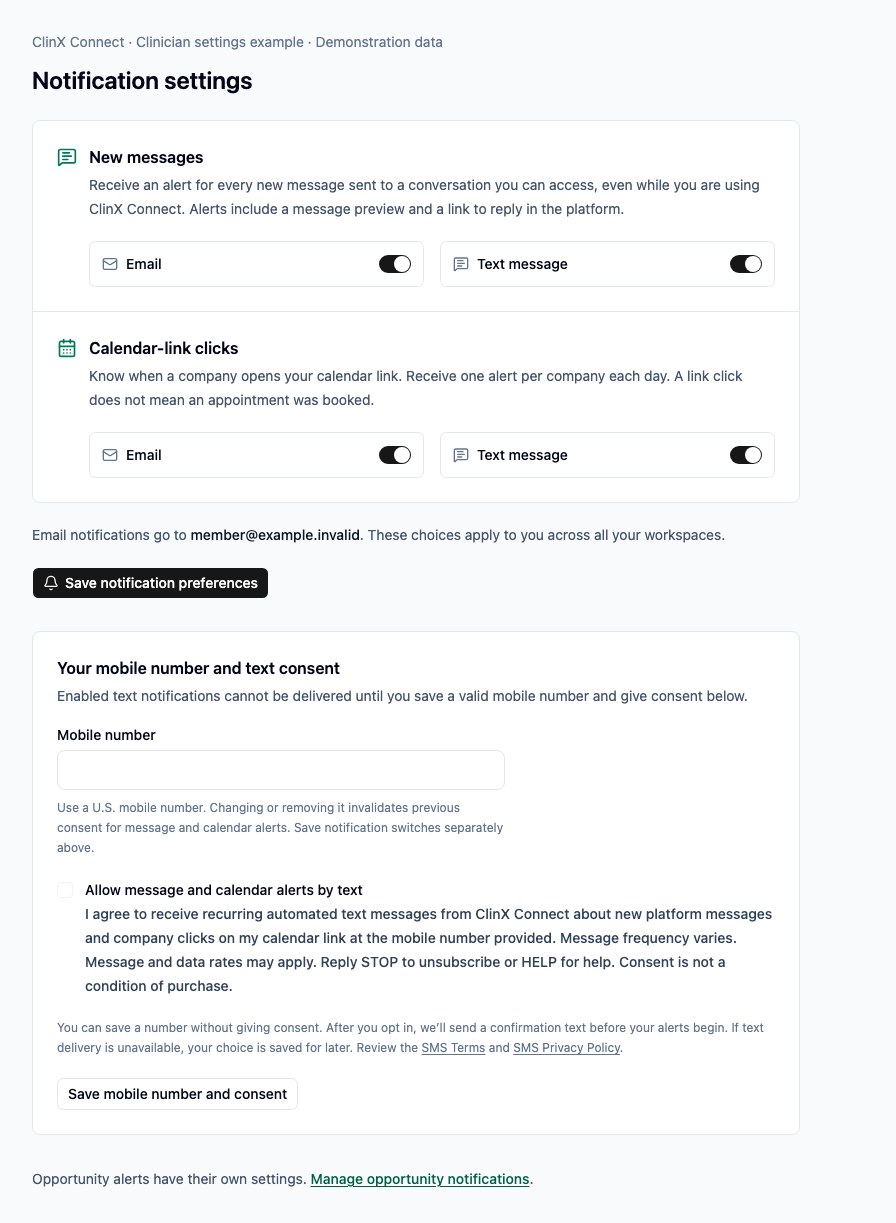
Category switches start on, but those switches alone do not establish text consent. Consent applies to the current phone number and selected program. Changing your number requires a new consent choice. Assistants manage their own message notifications; calendar alerts go to the primary clinician.
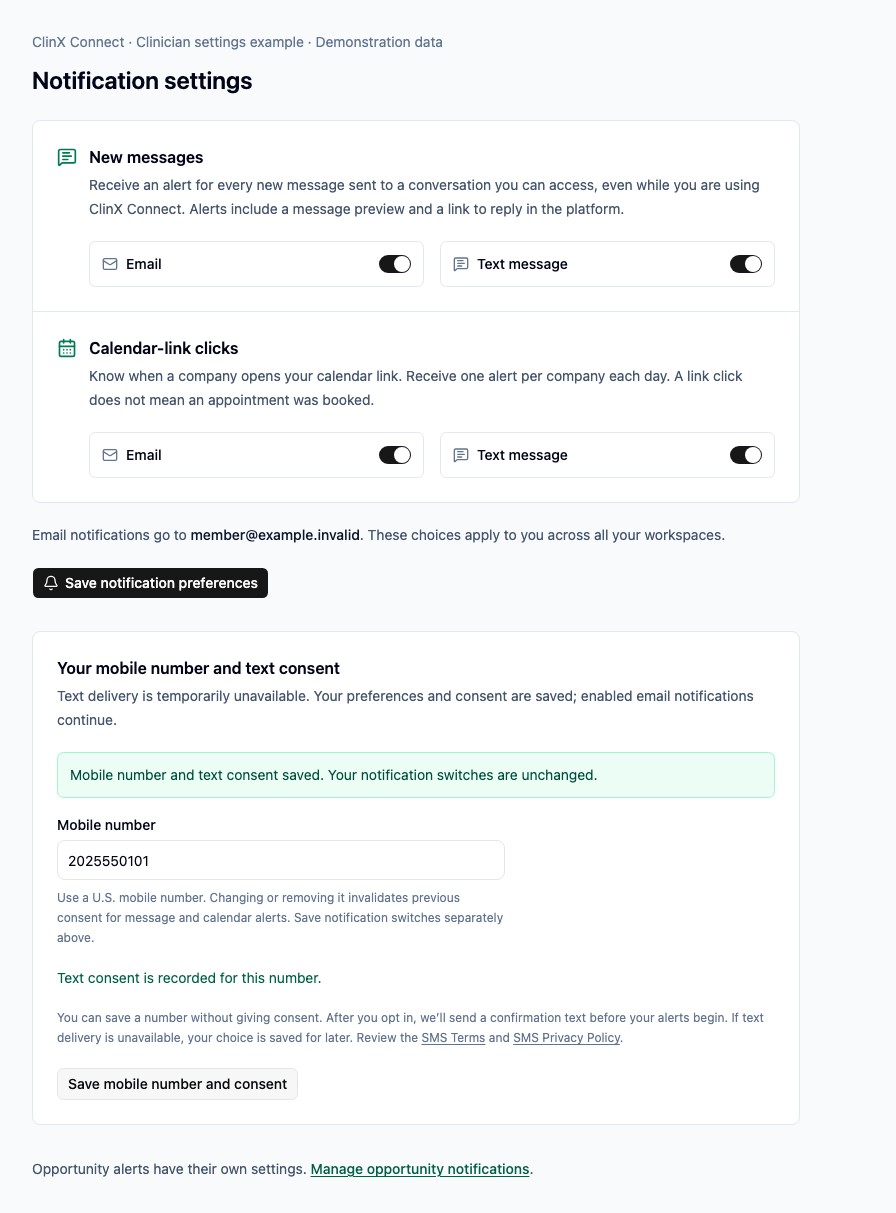
After a new web opt-in, we send an enrollment confirmation with the ClinX Connect name, frequency and rate disclosures, HELP, STOP, and support contact before recurring alerts begin. If text delivery is unavailable, your consent is saved and the confirmation waits until delivery is available. Selecting both programs may produce two separate confirmations.
Message frequency varies. Message and data rates may apply. Reply STOP to unsubscribe or HELP for help. START removes a delivery block but does not create consent or turn on a disabled preference. Read the SMS Terms and SMS Privacy Policy.
Our SMS Privacy Policy governs SMS program data. Mobile information, text message opt-in data, and messaging consent are not sold, shared, or provided to third parties or affiliates for marketing or promotional purposes.
Sign in to manage notification settings. Clinicians can manage opportunity alerts separately in Profile and setup → Notifications.
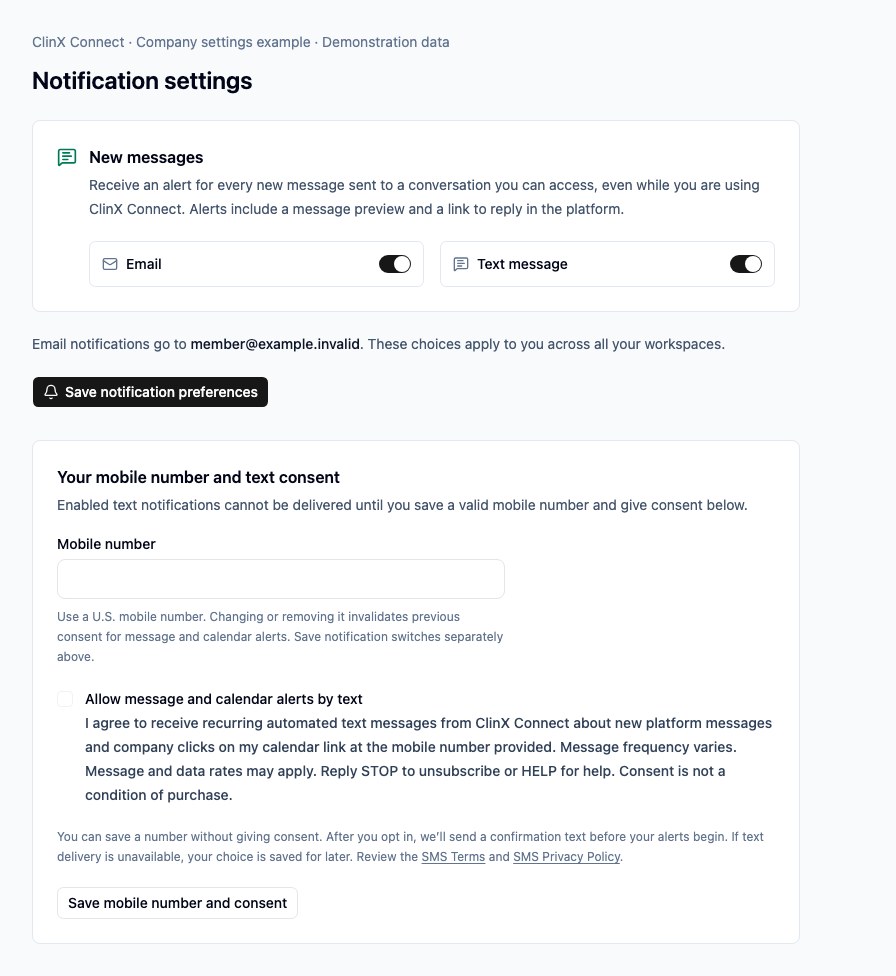
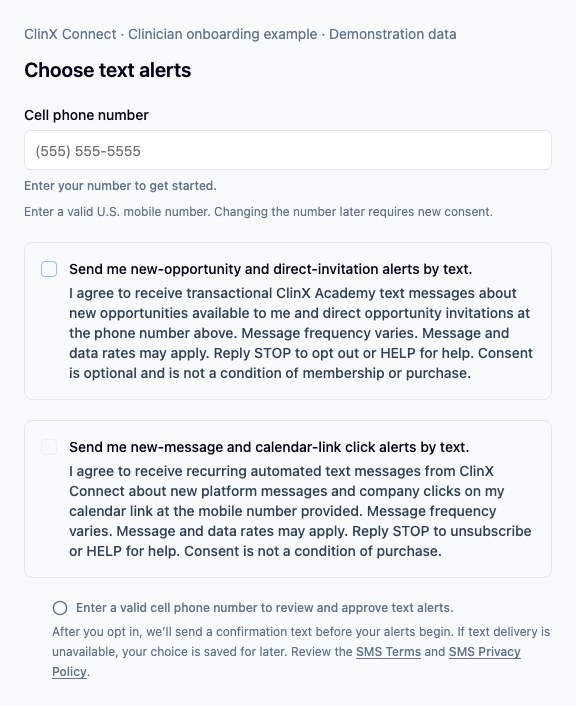
The examples below show consent controls before submission and the saved state afterward, using demonstration data captured October 5, 2026. These examples are not records of any individual’s consent or receipt of an enrollment text.
Clinician notification settings
Clinicians can choose email and text separately for new messages and calendar-link clicks. The mobile number and optional text consent are saved separately from these switches.
Company notification settings
Company users control their own new-message notifications. Entering a number and turning on a category switch does not by itself grant text consent.
Optional clinician onboarding choices
Opportunity and invitation texts have their own consent choice. New-message and calendar-link click texts use a separate optional checkbox. A valid U.S. mobile number enables these choices; neither is selected for a new number.
After saving text consent
This demonstration shows the result of entering a fictional mobile number, selecting the optional consent checkbox, and saving. The form confirms that consent was saved. Text delivery is paused, so the enrollment confirmation is pending; this is not evidence of a text being sent or received.
Questions: support@clinxacademy.com